

Component Usage
When you have scores that are unwieldy to write directly in Markdown, you can use the <Score> component to keep your site organized and have more control over the output.
Displaying scores
Section titled “Displaying scores”To display a score, import your .ly file and pass it to <Score>’s content prop:
---import { Score } from "astro-lilypond";import bachInvention from "./scores/bach-invention.ly";---
<Score content={bachInvention} />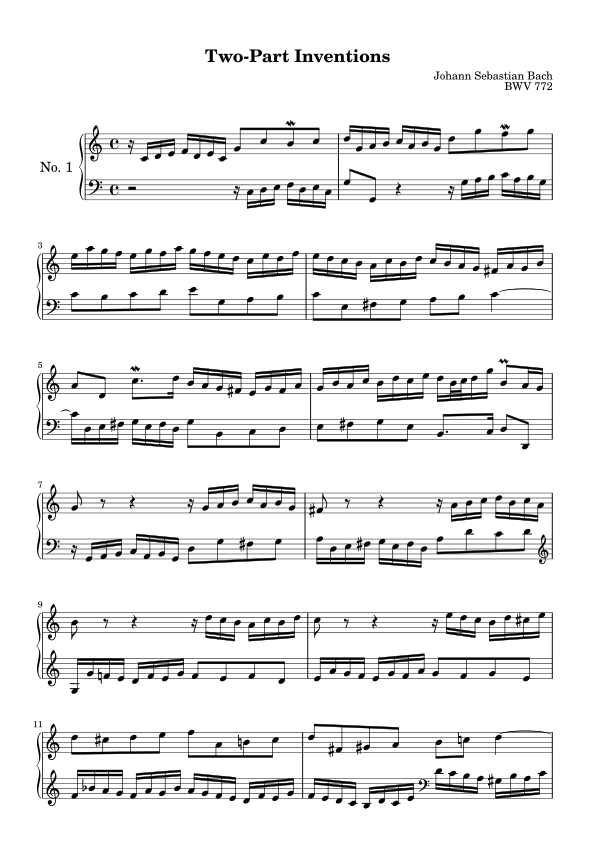
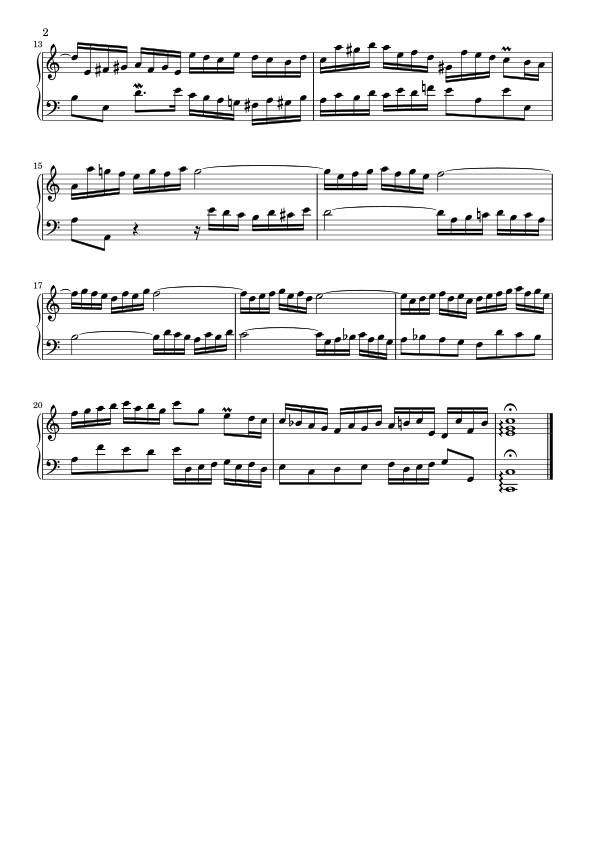
When a score renders to more than one page, as above, the pages are wrapped in an ordered list element. You can style pages and containers however you want. See the styling guide for more examples.
Cropping
Section titled “Cropping”By default, <Score> renders full pages, preserving page sizes and margins set via the imported LilyPond file.
If you’d prefer not to use full pages, and instead crop all content to a single, potentially large image, pass crop:
---import { Score } from "astro-lilypond";import bachInvention from "./bach-invention.ly";---
<Score content={bachInvention} crop />
Limiting rendered pages
Section titled “Limiting rendered pages”By default, <Score> renders every page. To show only an excerpt, pass a pageLimit:
---import { Score } from "astro-lilypond";import bachInvention from "./bach-invention.ly";---
<Score content={bachInvention} pageLimit={1} />
pageLimit={1} renders only the first page. pageLimit={2} renders the first two pages, etc. Passing a pageLimit larger than the number of available pages has no effect.
Alt text
Section titled “Alt text”<Score> derives alt text automatically from the imported .ly file’s \header block, displaying alt="{title} by {composer}".
Pass an alt prop to override the generated alt text with your own description:
---import { Score } from "astro-lilypond";import bachInvention from "./bach-invention.ly";---
<Score  content={bachInvention}  alt="A piano score showing a two-part invention by Bach"/>
Advanced usage with getScore()
Section titled “Advanced usage with getScore()”When you need the score’s pages, header metadata, raw source text, or a downloadable PDF, use the getScore function. Import getScore from astro-lilypond and pass it an imported LilyPond score as the first argument.
---import { getScore } from "astro-lilypond";import bachInvention from "./bach-invention.ly";
const { Score, meta } = await getScore(bachInvention);---
<h3>{meta.title}</h3><Score />
The result of getScore includes a Score component (used identically as above), meta object, raw score text, per-page image data (pages), and optional pdf. See the component reference for more info.
Displaying score metadata
Section titled “Displaying score metadata”getScore()’s meta carries the fields parsed from the score’s \header block, such as title, composer, and opus.
---import { getScore } from "astro-lilypond";import bachInvention from "./bach-invention.ly";
const { Score, meta } = await getScore(bachInvention);---
<h3>{meta.title}</h3><p>by {meta.composer}</p><Score />
For a full list of metadata fields, see the component reference.
PDF links
Section titled “PDF links”Pass pdf: true to generate a PDF file in addition to the <Score> images. The returned pdf can be used for download links by referencing src:
---import { getScore } from "astro-lilypond";import bachInvention from "./bach-invention.ly";
const { Score, pdf } = await getScore(  bachInvention,  { pdf: true });---
<Score /><a href={pdf.src} download>Download PDF</a>
Composing custom markup
Section titled “Composing custom markup”getScore() returns a pages array of rendered page images (src/width/height). You can use it directly to build your own markup instead of Score:
---import { getScore } from "astro-lilypond";import bachInvention from "./bach-invention.ly";
const { pages } = await getScore(bachInvention);---
<div class="gallery">  {pages.map((page) => <img src={page.src} width={page.width} height={page.height} />)}</div>
Page count can be displayed with pages.length:
<p>{pages.length} {pages.length === 1 ? "page" : "pages"}</p>Outputting raw text
Section titled “Outputting raw text”getScore()’s raw returns your LilyPond source code as a string. Use it wherever you need to show the text itself, rather than the rendered image.
---import { getScore } from "astro-lilypond";import { Code } from "@astrojs/starlight/components";import bachInvention from "./bach-invention.ly";
const { Score, raw } = await getScore(bachInvention);---
<Score /><Code code={raw} lang="lilypond" title="bach-invention.ly" />